
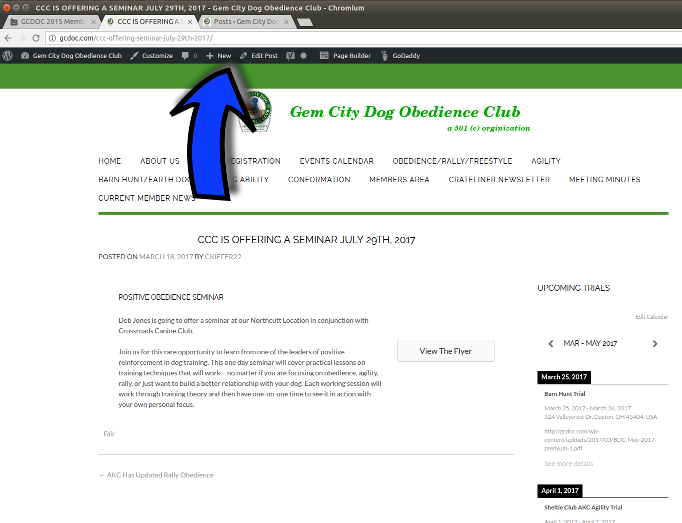
New Black bar at the top!
Once you are logged in to the website, you might have noticed a new menu bar at the very top of your screen. Let's click on the part that says "Gem City Dog Obedience Club" (a drop down will show up that says "Dashboard", we are going there!)
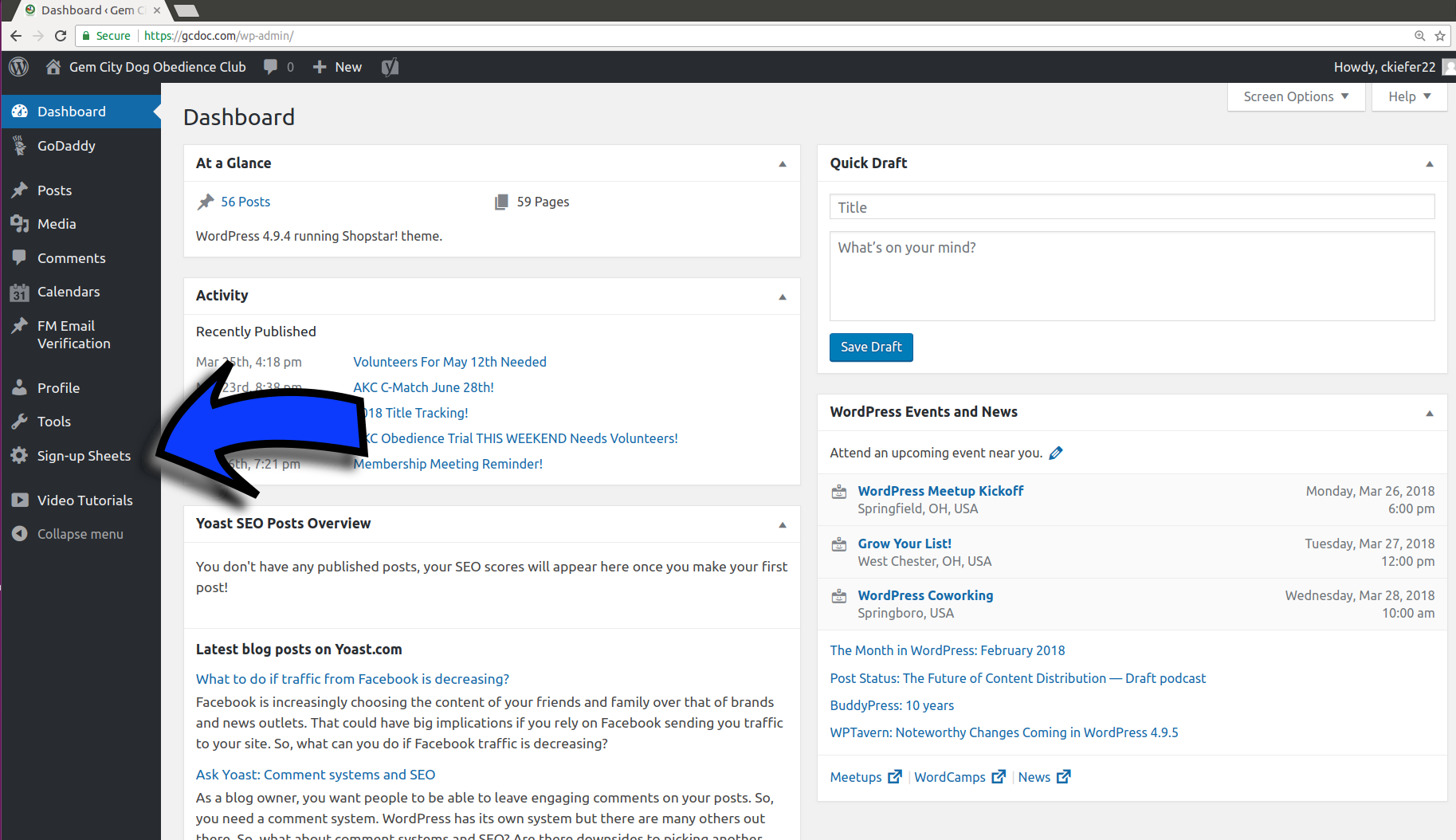
A new area!
You are now in a limited Admin area! Look at that menu on the left... we are looking for "Sign-Up Sheet"
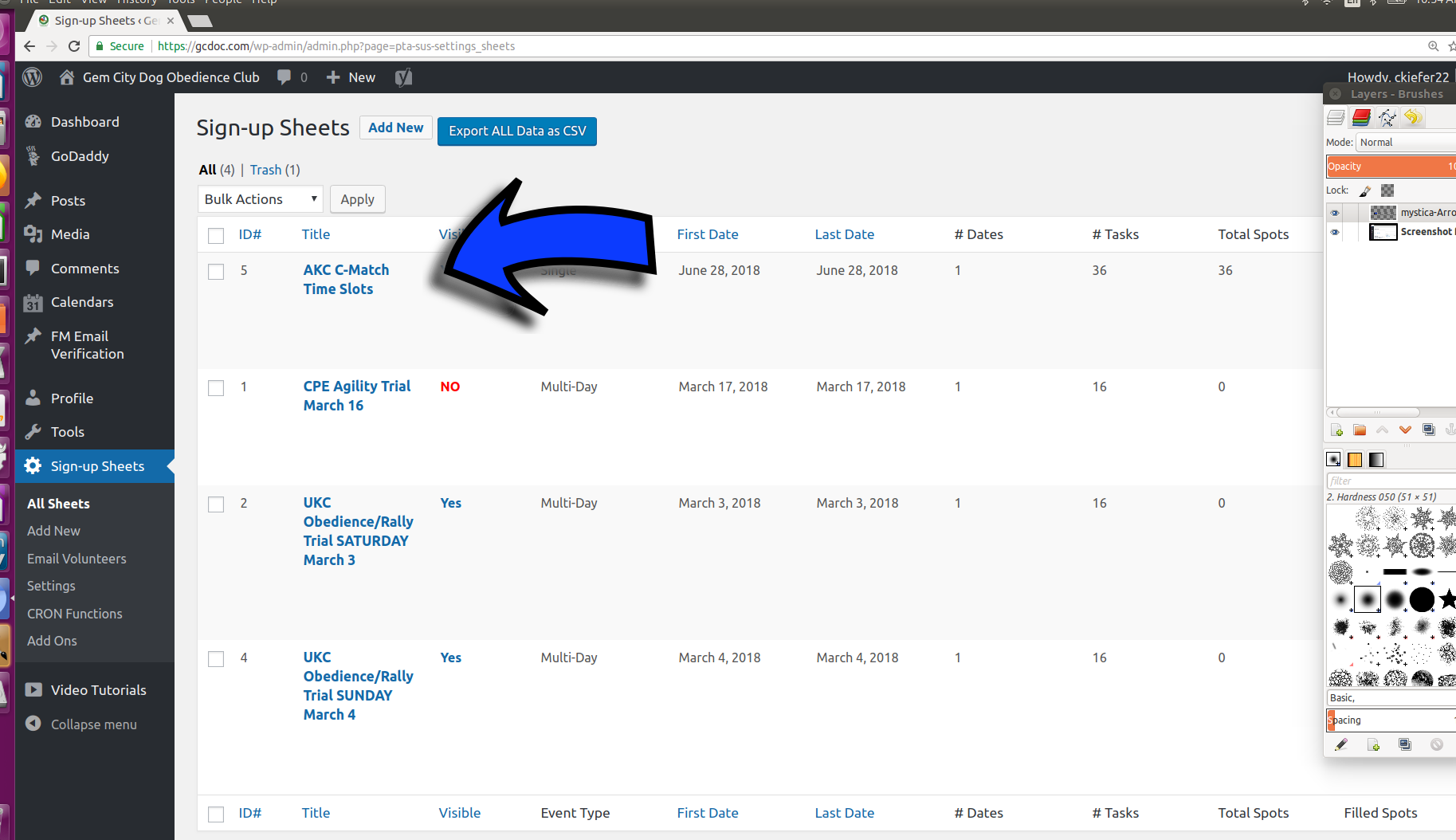
Find your "Sign-up Sheet"
Take a look at that list of volunteer items. Find the item that you are currently in charge of, and once you hover your mouse over it, you can look at lots of things. Let's check out the "View Sign-Ups" in the little menu.
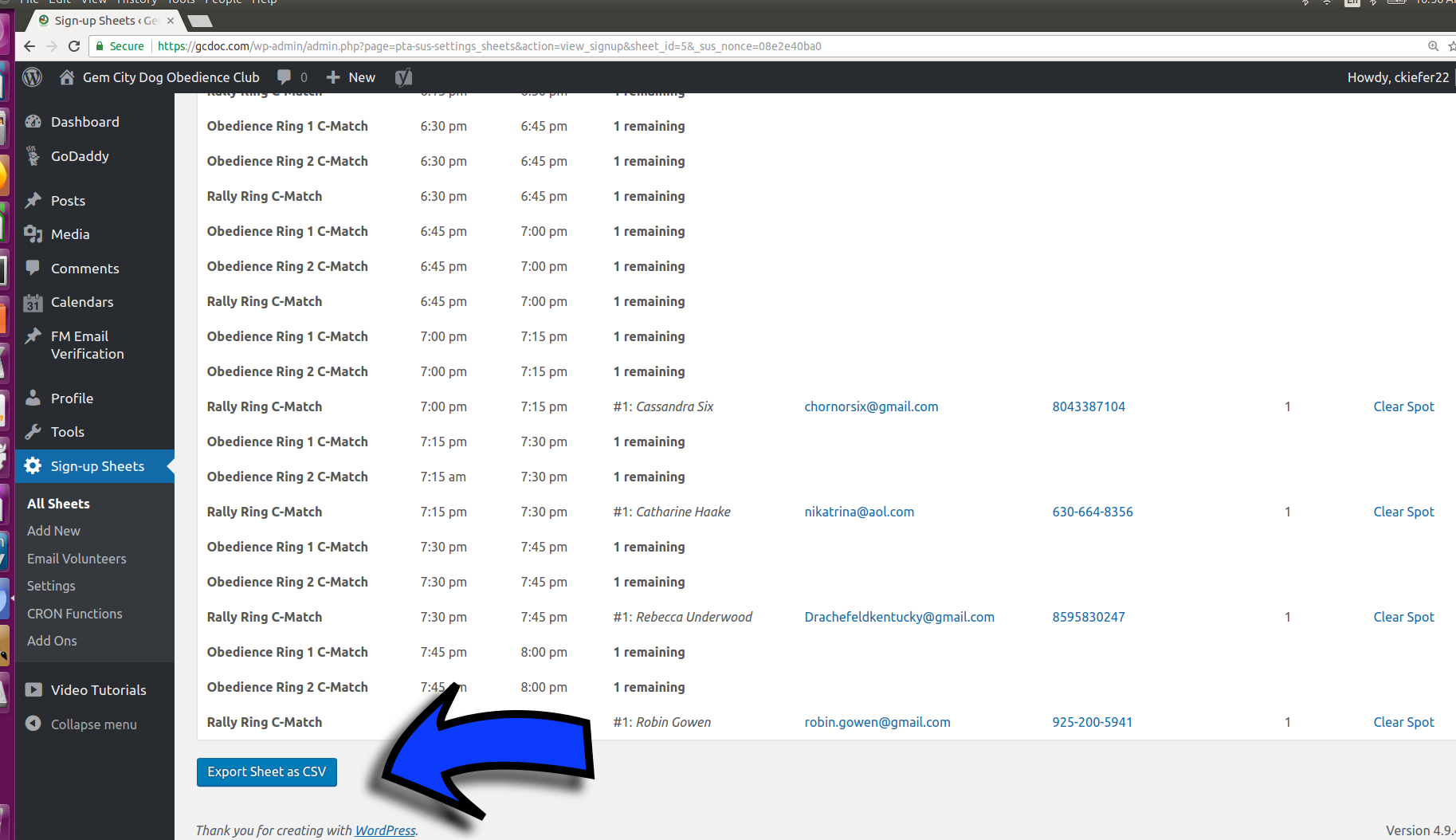
Look what you can do!
Now you can remove people, view their email addresses and phone numbers, and down at the very bottom, you can export it ALL to a comma separated value (CSV) file, what most of us call a spreadsheet.